License plate recognition on embedded hardware is a solved problem commercially, but purpose-built ANPR units start at several thousand dollars. This post covers the prerequisite work for a DIY equivalent running on a Raspberry Pi: camera selection, data collection, annotation, and training the two models that make up the pipeline.
Architecture Overview
The system runs in two sequential stages:
- Detection: A fine-tuned YOLOv11 nano OBB model locates license plates in each frame. YOLO (You Only Look Once) is a family of single-pass object detection models; the OBB variant outputs rotated bounding boxes rather than axis-aligned rectangles, which matters for plates that appear at an angle.
- Recognition: A fine-tuned PaddleOCR mobile model reads the text from each detected crop. PaddleOCR is an open-source OCR toolkit from Baidu; its mobile recognition models are designed to run on embedded hardware.
Both stages use mobile-optimized model variants to stay within the compute budget of a Raspberry Pi.
Pi HQ Camera (10s interval)
    -> plate detection (yolo11n-obb, fine-tuned)
    -> crop + skew correction
    -> OCR (en_PP-OCRv4_mobile_rec, fine-tuned)
    -> plate text + confidence
Camera Hardware
Initial Options
Two options were considered initially: a dashcam and the Pi Camera Module 3.
A dashcam is easy to mount and collects footage passively, but the wide FOV means plates are small in the frame. At typical following distance, a plate occupies only a small fraction of the image width, and the limited pixel density makes reliable OCR difficult.
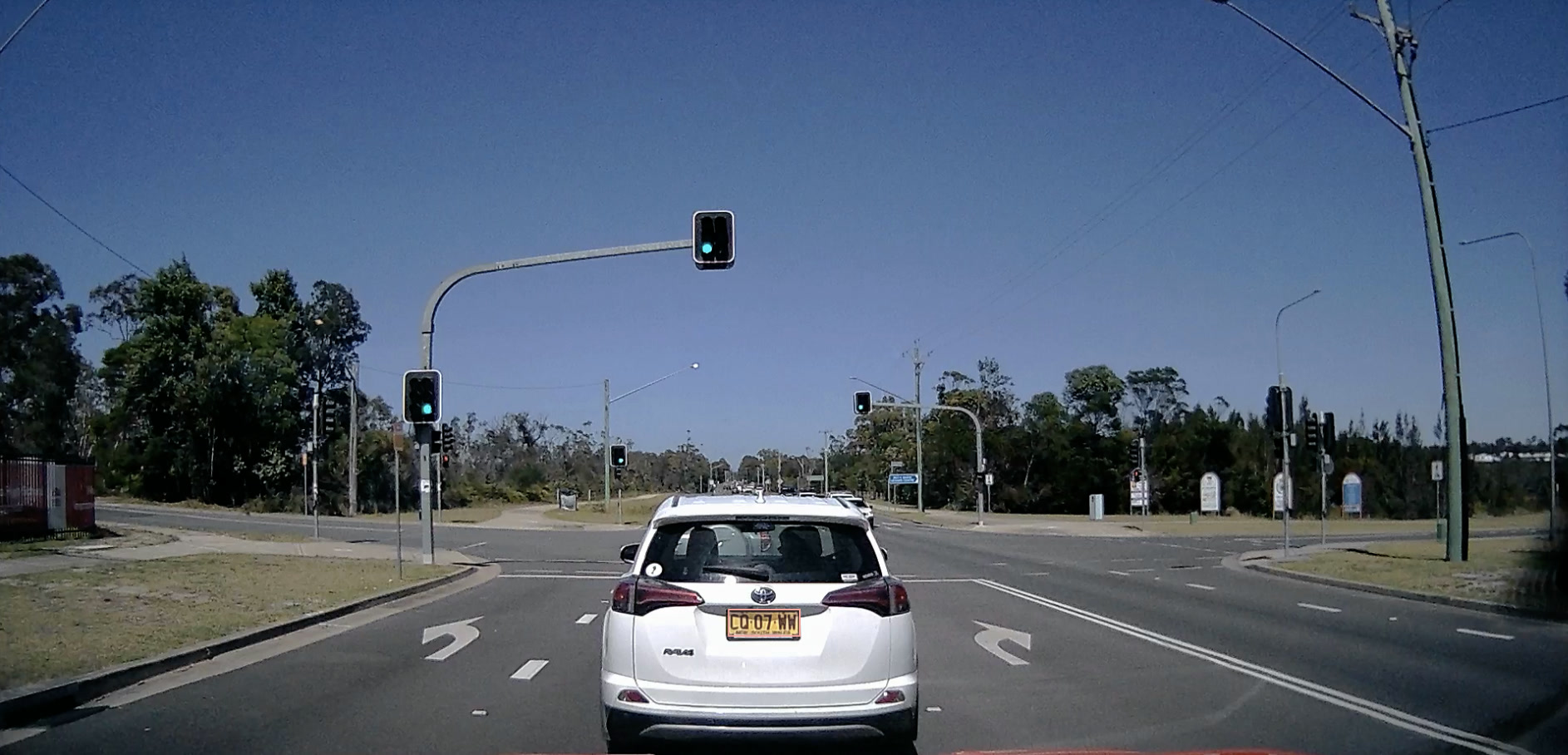
The plate on the RAV4 above spans roughly 40px wide in a 1920px frame, about 2% of the image width. That is well below the ~20-30px-per-character threshold needed for reliable OCR.
The Pi Camera Module 3 (Sony IMX708, ~66° diagonal FOV) has the same problem. Its fixed wide-angle lens is appropriate for general photography but not for reading text on objects 5-15m away in a specific lane.
What Commercial ANPR Systems Do
Commercial Automatic Number Plate Recognition cameras are purpose-built with narrow FOV lenses, positioned to cover a single lane. This keeps the plate large in the frame even at distance. They’re mounted above a lane or at the front of a vehicle, aimed forward and slightly down, so the only vehicles in frame are those directly ahead in the same lane. Fixed-installation products like the Hikvision DS-2CD3646G2T-IZS use a varifocal 7-35mm lens on a 1/3” sensor (7.2x crop factor), giving a 35mm-equivalent range of roughly 50-250mm. Vehicle-mounted units such as the Motorola Solutions L5M offer selectable fixed lenses (6mm to 25mm) matched to the capture distance: the 16mm lens covers 6.7-16.7m, and the 25mm covers 16.7-26m. Assuming a 1/2” sensor (sensor size is not published in the datasheet), the crop factor is ~5.4x, giving the 16mm lens a 35mm equivalent of ~86mm and the 25mm ~135mm.
The key constraint is pixel density on the plate. OCR needs roughly 20-30 pixels per character to work reliably, a figure cited in ANPR system design guides and consistent with the minimum resolution thresholds in Hikvision’s vendor documentation. At typical following distance (5-10m), a standard plate (~380mm wide) subtends a small angle. A wide-angle lens spreads those pixels across too large a sensor area; a telephoto lens concentrates them.
Camera Selection
The Pi HQ Camera (Sony IMX477, 12.3MP) supports interchangeable C/CS-mount lenses, which makes it suitable for this application. Paired with a 16mm telephoto lens (approximately 88mm equivalent in 35mm terms, given the IMX477’s ~5.5x crop factor), the horizontal FOV is approximately 22 degrees:
where is the IMX477 sensor width and is the focal length. At 10m, this gives a frame width of roughly 3.9m, narrower than two lanes, which means the plate of a vehicle in the current lane fills a useful portion of the frame.
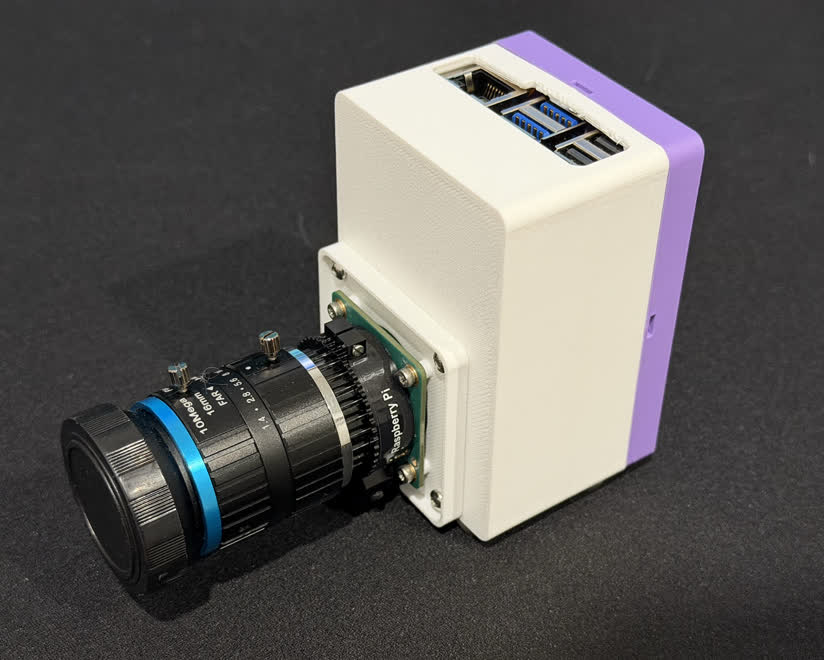
Pi HQ Camera with 16mm C-mount lens in a 3D printed case.
| Camera | Lens | H-FOV | Plate width at 10m (% of frame) |
|---|---|---|---|
| Pi Camera Module 3 | Fixed | ~66° | ~6% |
| Pi HQ Camera | 6mm | ~63° | ~6% |
| Pi HQ Camera | 16mm | ~22° | ~18% |
| Pi HQ Camera | 25mm | ~14° | ~28% |
A 25mm lens would give better plate resolution but reduces the lane coverage and requires more precise alignment. 16mm is a reasonable balance: enough magnification to read plates clearly in the current lane, with enough width to tolerate normal lane position variation and capture plates slightly off-center.
The camera is mounted at the front of the vehicle, behind the windscreen, aimed forward along the current lane.
Data Collection
Training images are captured by the Pi HQ Camera with the 16mm telephoto lens, saving a frame every 10 seconds while driving. Full frames and plate crops are uploaded to MinIO for storage.
Plate Crop Extraction
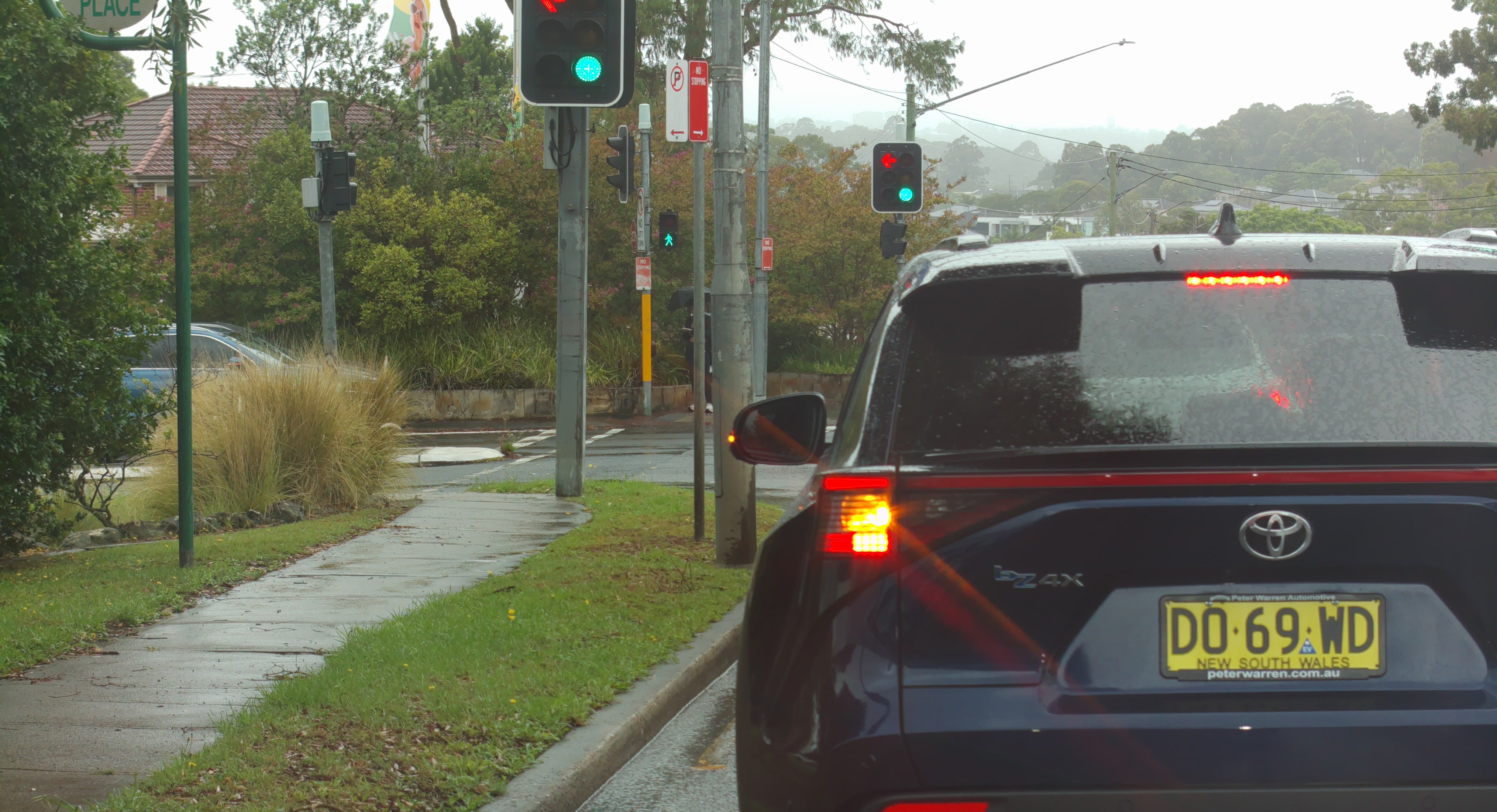
Plate crops for OCR training are extracted from the captured frames by running the fine-tuned OBB plate detector directly on each full frame. Detections narrower than 60px are discarded, and skew correction is applied before saving.
plate_model = YOLO("lp_detect/weights/best.pt")

result = plate_model(frame)[0]
for i, (px1, py1, px2, py2) in enumerate(result.obb.xyxy.tolist()):
    if result.obb.conf[i].item() < 0.3:  # low threshold: better to pass uncertain crops to OCR than miss plates
        continue
    lp_crop = frame[int(py1):int(py2), int(px1):int(px2)]
    if lp_crop.shape[1] < 60:
        continue
    _, corrected = correct_skew(lp_crop)
    cv2.imwrite(out_path, corrected)
correct_skew rotates the crop in 1-degree increments over +/-5 degrees and picks the angle that maximises horizontal histogram variance: the sharpest row-separation score indicates the most level orientation.
def correct_skew(image, delta=1, limit=5):
    gray = cv2.cvtColor(image, cv2.COLOR_BGR2GRAY)
    thresh = cv2.threshold(gray, 0, 255, cv2.THRESH_BINARY_INV + cv2.THRESH_OTSU)[1]
    angles = np.arange(-limit, limit + delta, delta)
    scores = [
        np.sum((np.sum(inter.rotate(thresh, a, reshape=False, order=0), axis=1)[1:] -
                np.sum(inter.rotate(thresh, a, reshape=False, order=0), axis=1)[:-1]) ** 2)
        for a in angles
    ]
    best = angles[scores.index(max(scores))]
    M = cv2.getRotationMatrix2D((image.shape[1]//2, image.shape[0]//2), best, 1.0)
    return best, cv2.warpAffine(image, M, image.shape[1::-1], flags=cv2.INTER_CUBIC,
                                borderMode=cv2.BORDER_REPLICATE)
Annotation with Label Studio
Both models require annotated training data. Label Studio is an open-source data labelling tool that supports a wide range of annotation types, including bounding boxes, polygons, and text transcription. It handles annotation for both stages here, with MinIO as the backing object store. Both run on the homelab Kubernetes cluster (see homelab series). Because Label Studio reads images directly from MinIO over S3, it never holds local copies. This matters at export time: only labels need to be exported, not images, keeping exports fast and small. Images are synced to the training machine separately using the S3 API.
Plate Detection Annotations
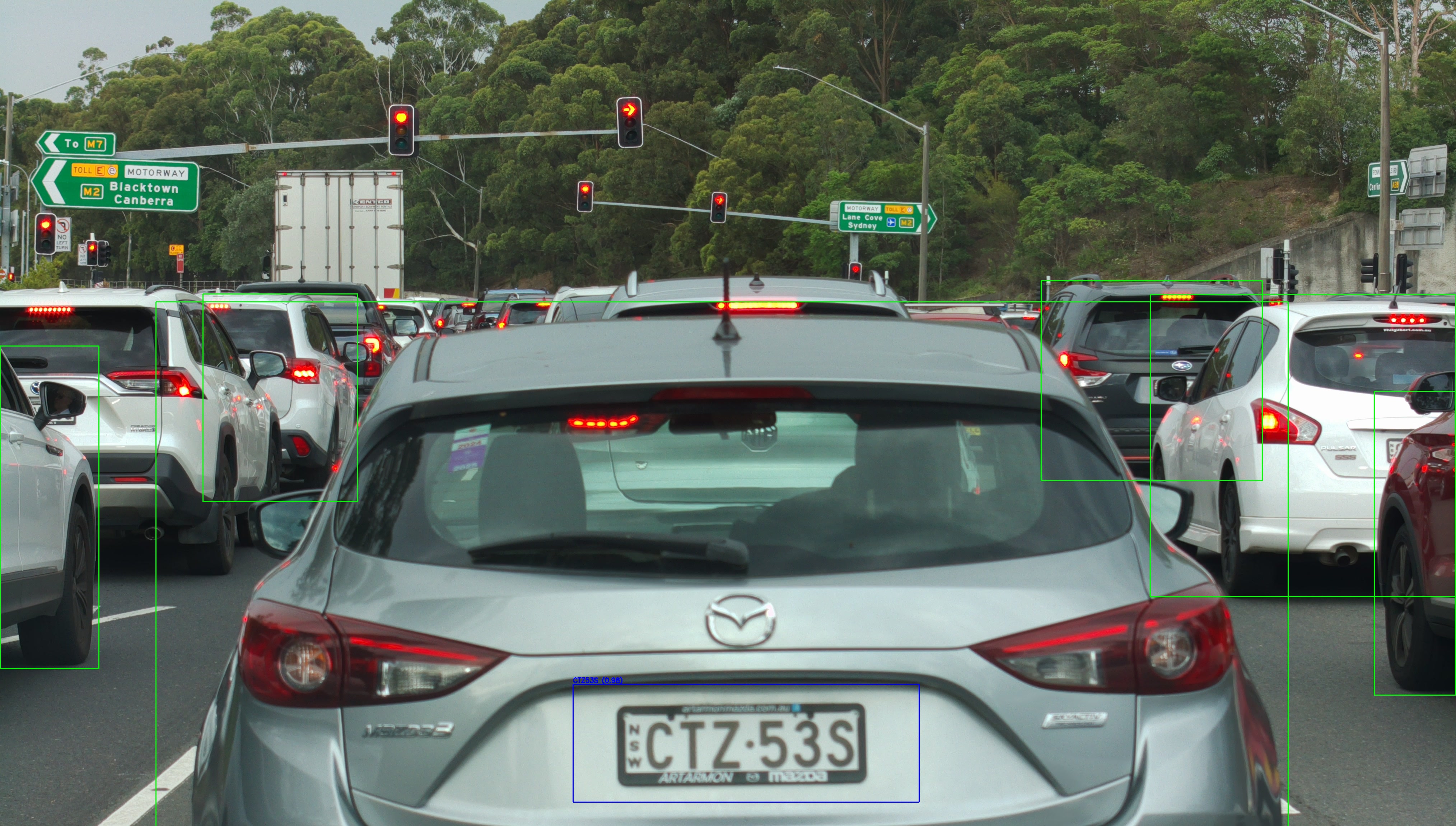
Plates can appear at slight angles depending on vehicle position and camera mounting, so standard axis-aligned bounding boxes lose accuracy on tilted plates. The detection model uses Oriented Bounding Box (OBB) format, which fits a rotated rectangle to each plate.
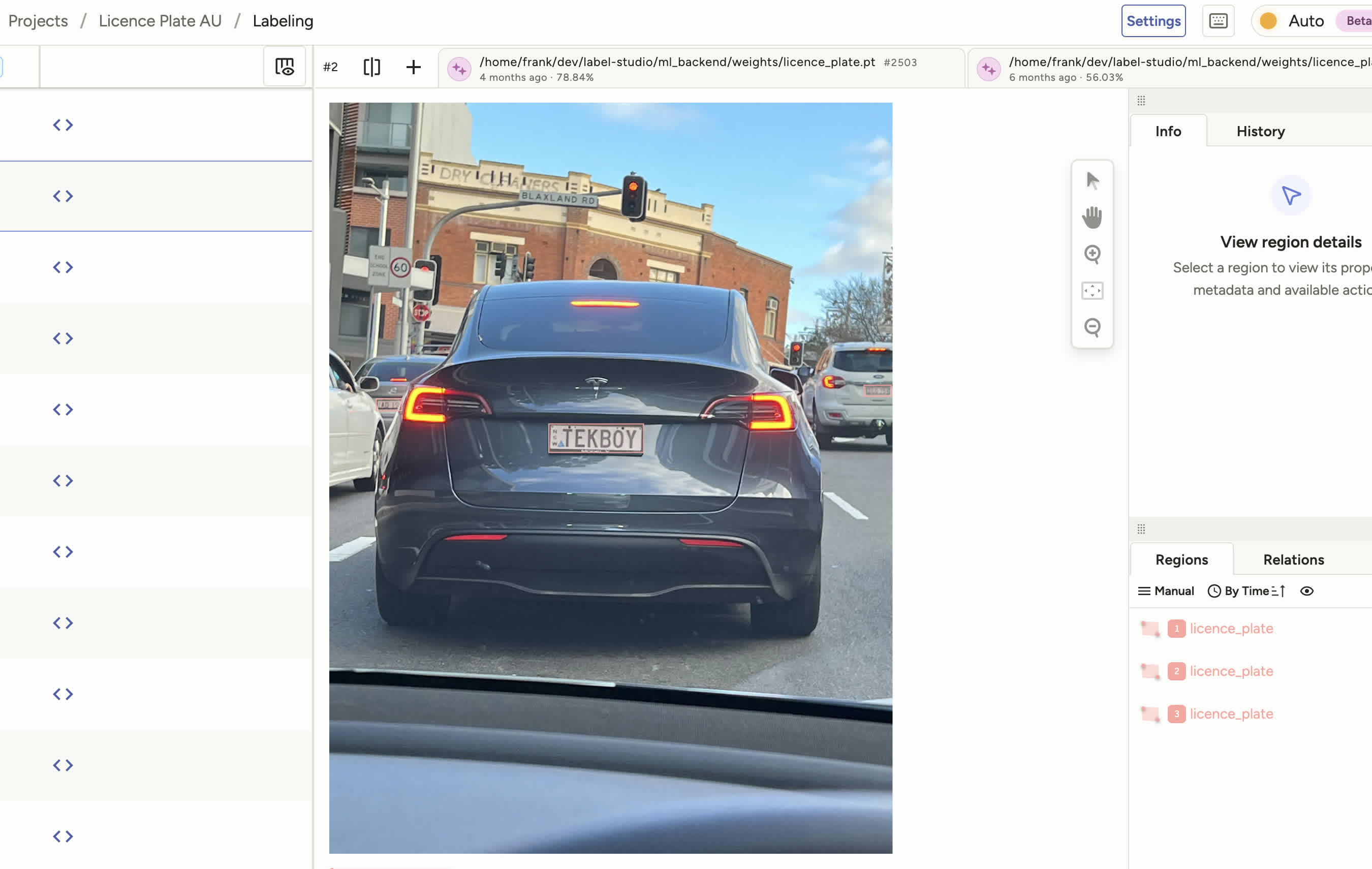
In Label Studio, each frame is annotated by drawing a polygon around the plate (four corner points). Exported in YOLO format, each label file contains:
<class_id> <x1> <y1> <x2> <y2> <x3> <y3> <x4> <y4>
Using Model Predictions to Speed Up Labelling
Once an initial model is trained, Label Studio’s ML backend integration can pre-annotate new images with the current model’s predictions. New batches only need corrections rather than drawing boxes from scratch, which cuts per-image annotation time as the dataset grows.
The backend extends the label-studio-ml template. _wsgi.py is the unmodified template scaffold. model.py subclasses LabelStudioMLBase and loads the fine-tuned weights at startup via an environment variable, so the weights path can be updated without changing code:
class YOLOv8Model(LabelStudioMLBase):
    def __init__(self, **kwargs):
        super().__init__(**kwargs)
        model_name = os.getenv('YOLO_MODEL', 'yolov8n.pt')
        self.model = YOLO(model_name)
        self.confidence_threshold = float(os.getenv('CONFIDENCE_THRESHOLD', '0.25'))
The predict() override receives Label Studio tasks, downloads each image, runs the model, and converts YOLO’s absolute pixel coordinates to the percentage-based format Label Studio expects:
def predict(self, tasks, **_kwargs):
    predictions = []
    for task in tasks:
        image_path = self.get_local_path(task['data'].get(self.value))
        results = self.model.predict(image_path, conf=self.confidence_threshold, verbose=False)

        result = []
        for r in results:
            orig_h, orig_w = r.orig_shape
            for box in r.boxes:
                x1, y1, x2, y2 = box.xyxy[0].tolist()
                class_name = self._match_label(r.names[int(box.cls[0])])
                if not class_name:
                    continue
                result.append({
                    'from_name': self.from_name,
                    'to_name': self.to_name,
                    'type': 'rectanglelabels',
                    'value': {
                        'x':      (x1 / orig_w) * 100,
                        'y':      (y1 / orig_h) * 100,
                        'width':  ((x2 - x1) / orig_w) * 100,
                        'height': ((y2 - y1) / orig_h) * 100,
                        'rectanglelabels': [class_name],
                    },
                    'score': float(box.conf[0]),
                })
        predictions.append({'result': result, 'model_version': self.model_version})
    return predictions
Image download uses a custom get_local_path() override rather than the template default, because images are served from the MinIO-backed Label Studio instance over HTTPS with a self-signed certificate. The override adds API token auth and an MD5-keyed local cache to avoid re-downloading the same image across tasks.
fit() is intentionally a no-op: the backend serves static weights rather than retraining from Label Studio feedback. Retraining is done manually on GPU hardware and the weights file is updated out-of-band.
OCR Annotations
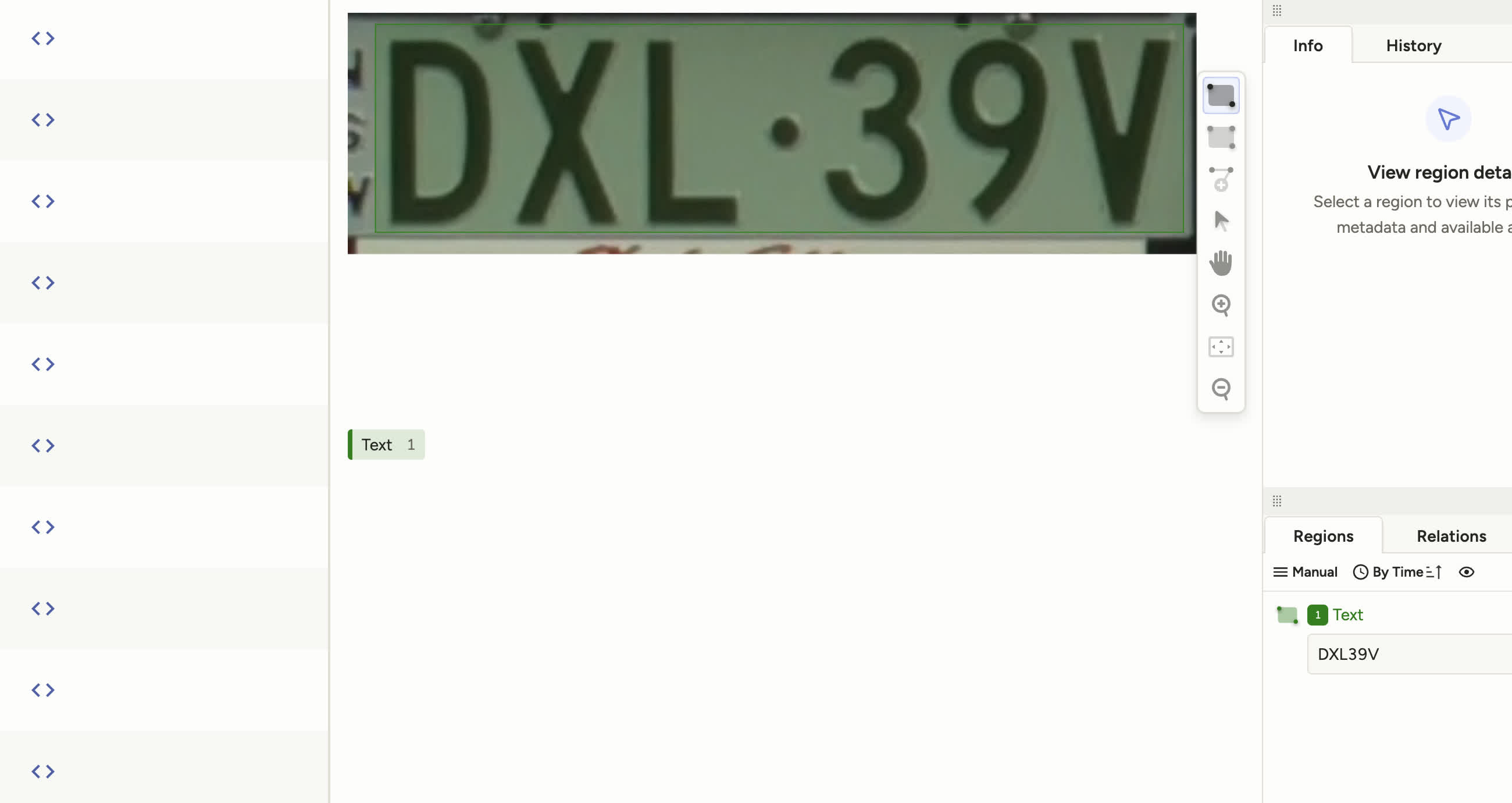
Plate crop images are loaded into a separate Label Studio project with a text transcription interface. Each annotator types the plate text they see. JSON export contains the task data (S3 path to the crop) and the transcription result.
Per-character bounding boxes are not needed here. The recognition model takes a full plate crop as input and outputs the text string directly, using a sequence model (CTC decoder) that learns to map image regions to characters without needing explicit character positions. The only ground truth required is the correct string for each crop image. Per-character annotation would add significant labelling overhead for no benefit to the training process.
Training Data Preparation
Detection
The detection dataset has 831 annotated frames, split 80/20 into 665 train and 166 val. Label Studio exports these as a ZIP. Because Label Studio is backed by MinIO, the export only needs to contain labels: images are synced separately from the object store rather than bundled into the archive. Each label file has one line per annotation in YOLO OBB format: class index followed by four normalised corner coordinates, clockwise from the top-left:
0 0.4821 0.3102 0.5634 0.3089 0.5641 0.3401 0.4828 0.3414
The labels are extracted from the ZIP, validated against the image set, shuffled, and split 80/20 into train and val. The dataset is described by a single-class YOLO config:
path: .
train: data/train
val: data/val
names:
  0: license_plate
OCR
The OCR project has 198 annotated plate crops (168 train, 30 val after the 85/15 split). Label Studio exports the project as a JSON array where each element is a task with the S3 path to the crop and the transcription result:
[
  {
    "id": 2123,
    "data": { "ocr": "s3://label-studio/plates/a3f2c1d4-7b8e-4e2a-9f1d-3c5b6a7e8f9d.jpg" },
    "annotations": [{
      "was_cancelled": false,
      "result": [{ "type": "textarea", "value": { "text": ["DXL39V"] } }]
    }]
  }
]
A preparation script parses this JSON, downloads the plate crop images from MinIO (skipping cancelled annotations), and converts each (image_path, text) pair into PaddleOCR’s tab-delimited format:
./images/a3f2c1d4-7b8e-4e2a-9f1d-3c5b6a7e8f9d.jpg	DXL39V
./images/b7e4f2a1-3d9c-4f1b-8e2a-5c6d7f8a9b0e.jpg	XYZ789
It also derives a character dictionary from all unique characters in the dataset. PaddleOCR requires this to define the CTC decoder’s output vocabulary. Generating it fresh from each dataset ensures it contains exactly the characters present in the training plates and nothing else.
Training
YOLO Detection Model
The base model is yolo11n-obb.pt (YOLOv11 nano, Oriented Bounding Box variant). The Ultralytics API takes a dataset config and handles the training loop:
from ultralytics import YOLO

model = YOLO("yolo11n-obb.pt")
results = model.train(
    data="dataset.yaml",
    epochs=100,
    batch=16,
    imgsz=640,
    device=0,   # GPU index; use "mps" for Apple Silicon, "cpu" as fallback
    project="runs",
    name="train",
)

best = Path(results.save_dir) / "weights" / "best.pt"
Training runs offline on a GPU machine (RTX 4080 SUPER) and completes in under 10 minutes. After 100 epochs:
| Metric | Value |
|---|---|
| Precision | 0.746 |
| Recall | 0.519 |
| mAP50 | 0.527 |
| mAP50-95 | 0.258 |
| Duration | 0.122 hours (~7 min) |
The trained weights are transferred to the Pi for inference.
PaddleOCR Recognition Model
The base model is en_PP-OCRv4_mobile_rec, a mobile-class recognition model from PaddleOCR. Training is managed through PaddleX 3.x, which wraps the PaddleOCR training loop behind a config-driven API:
from paddlex import build_trainer
from paddlex.utils.config import parse_config

config = parse_config("configs/rec_config.yaml")
config.Global.dataset_dir = str(DATASET_DIR)   # path containing train.txt, val.txt, dict.txt, images/
config.Global.output = str(OUTPUT_DIR)

trainer = build_trainer(config)
trainer.train()
The training config (ocr/configs/rec_config.yaml):
Global:
  model: en_PP-OCRv4_mobile_rec
  mode: train
  device: gpu:0

Train:
  epochs_iters: 100
  batch_size: 64
  learning_rate: 0.001
  pretrain_weight_path: https://paddle-model-ecology.bj.bcebos.com/paddlex/official_pretrained_model/en_PP-OCRv4_mobile_rec_pretrained.pdparams
  log_interval: 10
  eval_interval: 1
  save_interval: 10

Export:
  weight_path: output/rec/best_accuracy/best_accuracy.pdparams
pretrain_weight_path points to Baidu’s pre-trained English mobile weights, downloaded automatically on first run. Fine-tuning from these rather than from scratch converges faster and requires less data, since the base model already knows general character shapes.
The fine-tuned model is exported to ocr/output/rec/best_accuracy/inference in a format compatible with PaddleX’s create_predictor() API.
Training logs per-epoch metrics to ocr/output/rec/train.log and writes a summary to train_result.json on completion. The two key metrics are:
acc: sequence accuracy: fraction of val crops where the predicted string exactly matches the labelnorm_edit_dis: normalised edit distance:1 - edit_distance / max(len(pred), len(label)), capturing partial character matches
To extract the best result from the log:
grep "best metric" ocr/output/rec/train.log | tail -1After 100 epochs on 168 training samples (30 val), best checkpoint at epoch 72:
| Metric | Value |
|---|---|
| Sequence accuracy | 76.7% |
| Normalised edit distance | 0.944 |
| Best epoch | 72 / 100 |
Inference Pipeline
Preprocessing
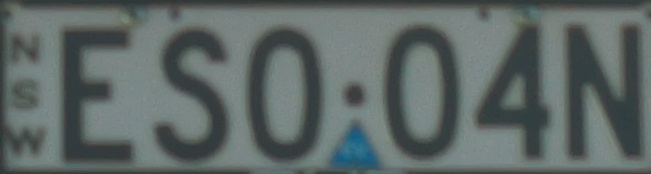
Before OCR, each plate crop goes through:
- Grayscale conversion
- Gaussian blur
- OTSU thresholding with inversion
- Skew correction: the crop is rotated in small increments (+/-5 degrees) and the rotation that maximizes horizontal histogram variance is chosen
Skew correction handles plates that were captured at a slight angle even after OBB detection.
Video with Tracking
For video input, the pipeline processes every 10th frame and uses Ultralytics’ built-in tracker (model.track(frame, persist=True)) to assign persistent vehicle IDs across frames. Rather than emitting a reading for every frame, it keeps only the highest-confidence plate detection per vehicle ID across the entire clip. This filters out partial reads from frames where the plate is blurred or partially occluded, and avoids duplicate entries for the same vehicle.
Output is written to recognized.txt (one <text>,<confidence> entry per unique vehicle) and output.csv.
Deployment on Raspberry Pi
Hardware Stack
| Component | Part |
|---|---|
| SBC | Raspberry Pi 5 |
| Power | PiSugar 3 (battery HAT) |
| Camera | Pi HQ Camera |
| Lens | 16mm C-mount telephoto |
The PiSugar 3 provides onboard battery power, allowing the unit to run independently of the vehicle’s power system during startup and handling brief interruptions without a clean shutdown.
Models
Both models are mobile-optimized variants selected specifically for edge deployment:
yolo11n-obb: nano variant, ~2.6M parameters, runs on CPUen_PP-OCRv4_mobile_rec: PaddleOCR’s mobile recognition model, designed for embedded devices
For Raspberry Pi deployment, the models can be exported to more efficient formats. PaddleX supports PaddleLite export for ARM targets, and the YOLO model can be exported to ONNX for use with ONNX Runtime:
# YOLO ONNX export
yolo export model=lp_detect/weights/best.pt format=onnx
The inference scripts use device flags that fall back cleanly to CPU when no GPU is present, so they run on Pi hardware without modification to the inference code.
Performance
These numbers are from running the full pipeline on a development machine (Apple Silicon Mac, CPU inference). On-device Pi numbers are pending.
| Stage | Input shape | Pre | Inference | Post | Total |
|---|---|---|---|---|---|
| Plate detection (yolo11n-obb) | 480x640 | 3.5ms | 31.9ms | 5.1ms | 40.5ms |
The pipeline is single-stage: the OBB model runs directly on the full frame, so per-frame time is fixed regardless of how many vehicles are in the scene. At one frame every 10 seconds, the pipeline has ample headroom even on slower hardware. The Pi 5 is slower than an Apple Silicon Mac but the models are sized to run on CPU without a GPU or NPU.
Full Retraining Workflow
# 1. Sync new frames from MinIO
python lp_detect/sync.py

# 2. Annotate in Label Studio, export YOLO ZIP to lp_detect/data/raw/

# 3. Prepare detection dataset
python lp_detect/split.py --val-ratio 0.2 --seed 42

# 4. Train detection model
python lp_detect/train.py --epochs 100 --device 0 --batch 16

# 5. Annotate plate crops in Label Studio, export JSON to ocr/data/

# 6. Prepare OCR dataset
python ocr/prepare_data.py

# 7. Fine-tune OCR model
python ocr/train.py